









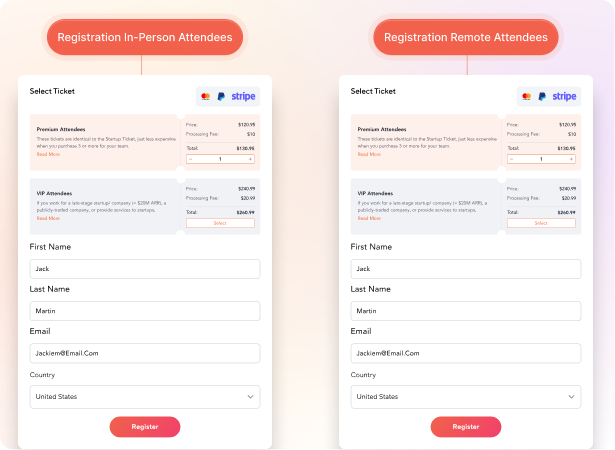
Registration & Ticketing
Run separate registration flows for in-person and remote attendees, from one setup.
- Build two paths from the same registration page so each audience sees their own form fields, pricing, and ticket tiers.
- Issue in-person tickets with seat assignments and onsite check-in QR codes, and virtual tickets with a private access link to the platform.
- Apply different group rates, early-bird windows, and sponsor codes per audience without rebuilding the form.
- Carry both audiences into one attendee list so segmentation, emails, and reporting work off the same record.
Load More
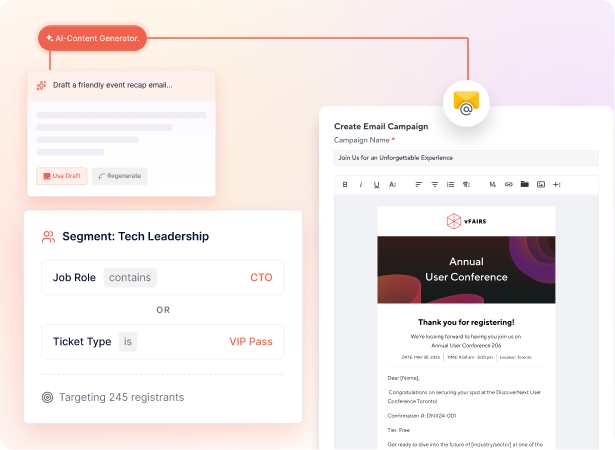
Email Marketing & Segments
Send emails that speak to the audience each person actually booked.
- Segment by registration type (in-person, remote, VIP, sponsor) and send each group the reminders and content that match their format.
- Tell in-person attendees what to bring, where to park, and which sessions they have a seat for, while remote attendees get their access link and tech check.
- Run pre-event, day-of, and post-event sequences from the same calendar so the two audience flows stay in sync.
- Track opens, clicks, and registrations per audience segment so you know which message moved which group.
Load More
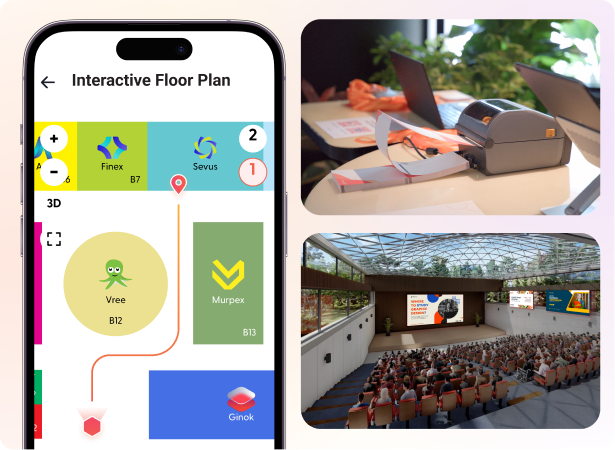
Onsite Tech + Virtual Venue
Run onsite tech for in-person and a virtual venue for remote, from the same setup.
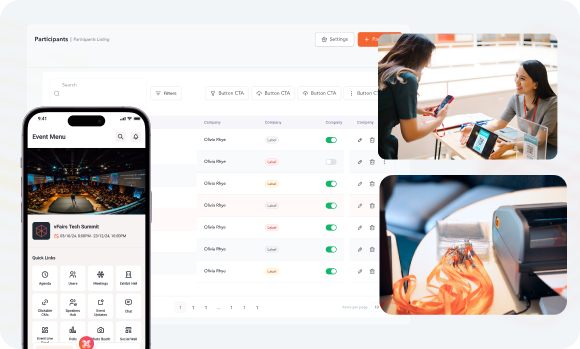
- Print branded badges, check attendees in with QR scan or facial recognition, and run an interactive floor map for everyone in the building.
- Drop remote attendees into a 3D venue that mirrors your onsite layout so they walk the same exhibit hall and visit the same booths.
- Stream the keynote and breakout stages directly into the virtual venue so remote attendees watch live alongside the room.
- Use the same branded mobile app for in-person navigation and remote access so attendees of either format share one home screen.
Load More
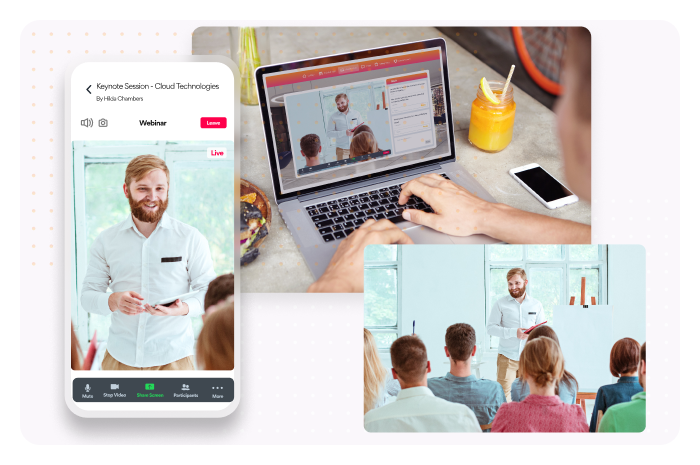
Agenda, Sessions & Replays
Run one agenda where both audiences watch live, ask questions, and rewatch later.
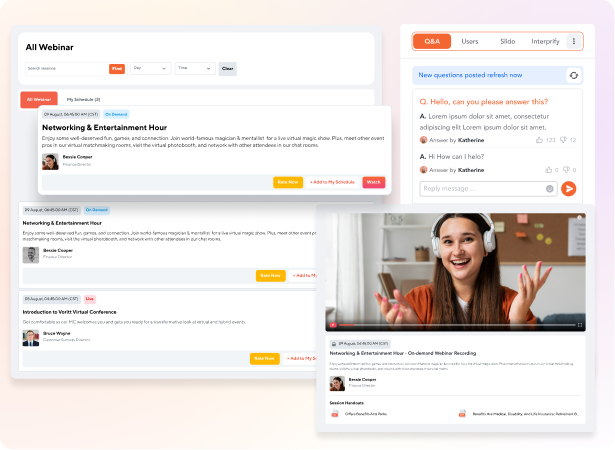
- Publish one multi-track agenda that shows the same sessions to both audiences, with the right join button (room number for in-person, livestream for remote).
- Run live polls and Q&A across both audiences in the same thread, so a question from someone at home shows up next to one from the back row.
- Record every session automatically and post replays in the same library so both audiences can catch sessions they missed.
- Let attendees personalize their agenda in the event app and get reminders 10 minutes before their next session, regardless of format.
Load More
Networking & AI Matchmaking
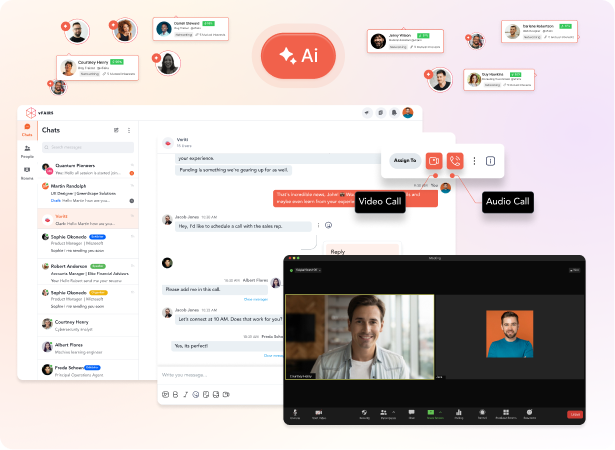
Connect both audiences through 1:1 chats, AI matchmaking, and speed networking.
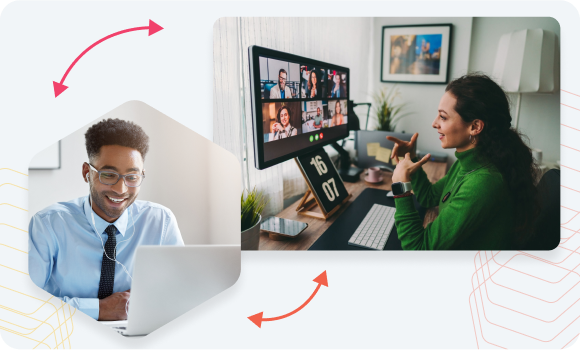
- Open 1:1 chat, group rooms, and video meetings so remote attendees can request meetings with onsite attendees and vice versa.
- Use AI matchmaking to pair attendees by interests, role, and goals, without distinguishing whether they're walking the floor or joining from a laptop.
- Run dedicated speed networking sessions for remote attendees so they get the rapid-introduction format their onsite peers get at coffee breaks.
- Schedule meetings in the event app with calendar holds, agenda blocks, and a personal meeting room link for any remote-to-onsite pairing.
Load More
Live Event Feed & Gamification
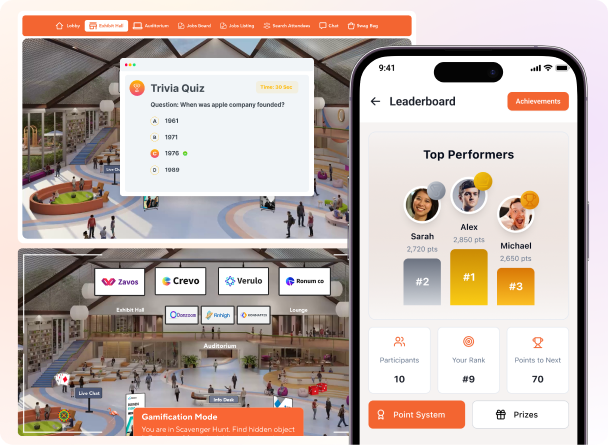
Run a live event feed and gamification that both audiences compete in.
- Open a live social wall where attendees from both audiences post photos, reactions, and questions, with moderation in two clicks.
- Run leaderboards, trivia, and scavenger hunts that score points the same way whether someone scans a booth onsite or visits one in the virtual venue.
- Drop important announcements through push notifications on the event app and alerts on the virtual event platform.
Load More
Sponsor & Exhibitor Management
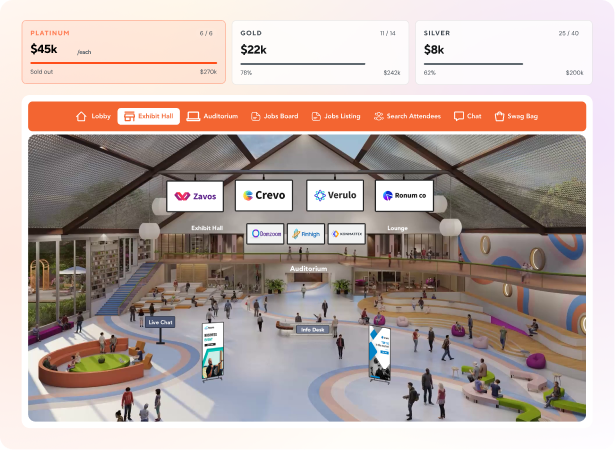
Give sponsors a booth that reaches both audiences and a report that proves it.
- Set up sponsor packages that include a physical booth on the floor and a digital booth in the virtual venue, priced from one rate card.
- Capture leads from both audiences in the same record, whether a rep scans a badge onsite or an attendee fills out a contact form in the virtual booth.
- Sponsors can capture leads onsite through the lead capture app while online reps can chat 1:1 with remote attendees on their virtual booth.
- Hand each sponsor a one-page report showing booth visits, leads, and demo signups across both audiences so the renewal conversation has numbers behind it.
Load More
EVENT ANALYTICS & REPORTING
Measure engagement levels of both audiences in one dashboard.
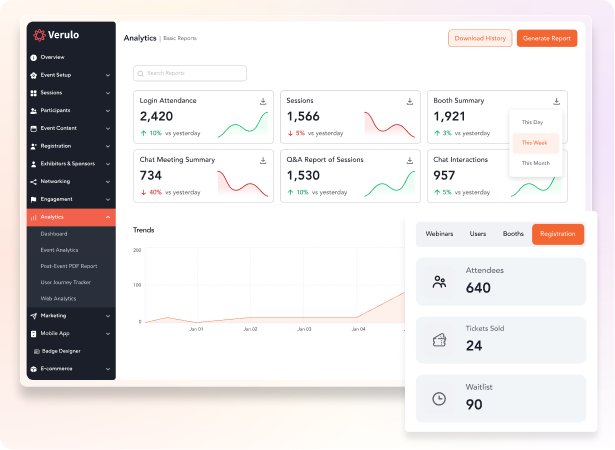
- View every attendee in one list with their format (in-person / remote), check-in status, sessions watched, and engagement score in one record.
- Compare attendance, session views, networking activity, and sponsor leads across the two audiences in one dashboard.
- Push attendee, session, and lead data into Salesforce, HubSpot, or Marketo with a flag for which audience each one belongs to.
- Ask the AI reporting chatbot a plain-English question (like "how many remote attendees attended session 3?") instead of building a custom view.
Load More